Buying a Washington Licence Online
Oh, the joy of hunting season! The crisp air, the anticipation, the promise of the wild… and then you remember you still need to buy your license. For many Washington hunters, the thought of navigating government websites or standing in line can feel like another hurdle before the season even truly begins. But don't you worry, because buying your Washington hunting license online has become the go-to method for a reason, and this guide is here to walk you through every step, smoothing out the common frustrations and ensuring you're ready for the field without a hitch.
The Convenience and the Challenges of Online Licensing
Let's be honest, we live in a digital age, and the ability to handle administrative tasks from the comfort of our homes is a blessing. The Washington Department of Fish and Wildlife (WDFW) has worked hard to make their WILD licensing system user-friendly, but like any online portal, it can sometimes throw you a curveball. Understanding both the benefits and potential pitfalls will make your experience much smoother.
Why Buying Online Makes Sense Mostly
The biggest draw of buying your hunting license online is, hands down, the sheer convenience. No more rushing to a sporting goods store before they close, no more waiting behind a dozen other hunters with complicated tag questions. You can literally buy your license and tags at 2 AM in your pajamas if that's when inspiration strikes. This 24/7 access means you're not constrained by business hours, which is a lifesaver for those of us with unpredictable work schedules or who live in more remote areas without a local vendor nearby. Think about it: you can be doing your E-Scouting Washington GMUs Before the Draw, pinpointing potential hunting spots, and then immediately jump onto the WDFW site to apply for your special permits or pick up your general season tags. It’s all right there at your fingertips.
Another great benefit is the ability to easily review all your purchases and applications in one central place. Your WILD account acts as a digital ledger of your hunting history in Washington. This comes in incredibly handy when you're trying to remember if you bought that migratory bird endorsement or if your spring turkey tag is still valid. You can always log back in and verify.
Common Hiccups and How to Avoid Them
While the online system is generally efficient, it's not without its quirks. One of the most common frustrations is when the system seems to freeze or time out, especially during peak application periods like the Washington Special Hunt Application Deadline. This can be infuriating, especially if you've spent time filling out multiple hunt choices. To combat this, I always recommend using a stable internet connection and trying to avoid the absolute last minute of high-traffic deadlines. If possible, consider accessing the site from a desktop or laptop rather than solely relying on a mobile device, as some interfaces can be less optimized for smaller screens.
Another frequent headache involves forgotten passwords or issues with your Hunter Education verification. It's surprising how many hunters realize they can't access their account right when they need to make a purchase. Keep your login information somewhere secure and accessible, or consider using a password manager. If you’re a new hunter or your Hunter Ed hasn't been linked correctly, the system won't let you proceed with big game purchases. We’ll dive deeper into that specific issue shortly, but it’s a good heads-up to ensure all your ducks are in a row before you're trying to check out. Sometimes, trying a different web browser can even resolve minor display or functionality glitches.
Navigating the WDFW WILD System
The Washington Department of Fish and Wildlife's online licensing portal is called the WILD system. It's your hub for everything from buying a fishing license to applying for special big game permits. Getting comfortable with this system is key to a hassle-free hunting season.
Creating or Accessing Your WILD Account
For new hunters, the first step is creating a WILD account. This will require some basic personal information like your name, address, date of birth, and usually your driver's license number. Pay close attention to accuracy here, as any discrepancies can cause issues later, especially with linking your Hunter Education certification. You'll set up a username and password, which you'll use for all future transactions. Make sure to use a strong, unique password and jot it down somewhere safe.
If you're a returning hunter, you likely already have a WILD ID. Often, this is tied to your WDFW customer number, which can be found on previous licenses. If you've forgotten your login details, the system has "Forgot Username" and "Forgot Password" recovery options. Don't wait until the day before your hunt to test these out! Try logging in well in advance to ensure smooth access. This is also where you might check your Washington Hunter Education Options to ensure your certification is properly recorded, which is crucial for purchasing big game tags.
Selecting Your Licenses and Tags
Once you're logged in, you'll see various options for purchasing licenses and tags. For big game hunters, you’ll typically start by selecting a "Big Game Hunting License" or a "Big Game Combo" which often includes a deer and elk tag, plus bear and cougar tags for Washington Resident Big Game Combo Price.
Here’s a general rundown of what you’ll be looking for:
- Annual Hunting License: This is your basic permit to hunt. You need this before you can purchase any tags.
- Deer Tags: You'll choose between an East or West side general deer tag, or if you're lucky enough to draw a special permit, you'll select that specific tag. Remember the rules about Washington's Three-Point Rule and What Counts.
- Elk Tags: Similar to deer, you'll pick an East or West side general elk tag, or a special permit tag. You'll also need to declare your weapon choice, such as archery, muzzleloader, or modern firearm, which dictates your hunting season options. This process is explained in detail in Declaring a Weapon on a Washington Elk Tag.
- Bear and Cougar Tags: These are often included with the Big Game Combo license, but if not, they can be purchased separately. Keep an eye on the Washington Black Bear Season Dates and Washington Cougar Harvest Guideline Closures.
- Small Game & Migratory Bird Endorsements: If you plan to hunt upland birds, waterfowl, or other small game, you'll need the appropriate endorsements. These are usually add-ons to your general hunting license.
- Special Hunt Applications: While not a "tag" purchase in the same way, the online system is where you'll submit your applications for coveted special permits for species like moose, bighorn sheep, mountain goat, or even quality deer and elk hunts. These require additional fees and are subject to specific application windows. GoHunt, for instance, provides excellent resources to help analyze your Washington Draw Odds for Quality Elk before you even begin this process.
Take your time and carefully read the descriptions for each item. It's easy to accidentally select the wrong tag, and while customer service can usually fix errors, it's best to get it right the first time.
Completing Your Purchase and What Comes Next
You've navigated the choices, selected your desired licenses and tags, and now you're at the finish line – payment! This is where the rubber meets the road, and a few final checks can save you a lot of grief.
Payment and Confirmation
The WDFW WILD system accepts major credit and debit cards. When entering your payment information, double-check all the numbers and the expiration date. A common issue is a mismatch between the billing address entered and the one on file with your bank; ensure these are identical to prevent your transaction from being declined. Once your payment is processed, you should receive an immediate on-screen confirmation and, crucially, a confirmation email to the address associated with your WILD account. This email is your official receipt and often includes links to print your licenses. If you don't receive this email within a few minutes, check your spam folder. If it's still missing, log back into your WILD account to confirm the purchase went through before trying again, to avoid duplicate charges.
Printing Your License and Tag Requirements
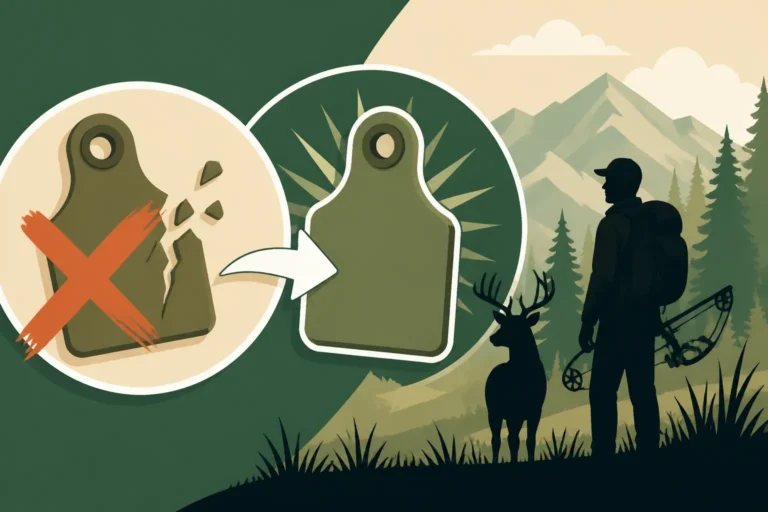
This is a critical step that often trips up new hunters. While you bought your license online, Washington generally requires you to carry physical copies of your tags while hunting. For general season tags like deer and elk, you'll need to print them out yourself. These printable documents include your license details and the individual tags you'll cut out and attach to your harvest. Pay attention to the instructions on the printout itself; they'll tell you exactly how to cut and attach the tag to your animal if you're successful.
For species like bear and cougar, you might receive a "transport tag" that you also need to print and carry. Always check the current hunting pamphlet for the exact rules on what needs to be printed and carried, as these can occasionally change. Don't just save it to your phone; imagine your phone dying in the backcountry when you need to tag your bull! A physical copy is always the safest bet. If you're using a planning tool like GoHunt, they often have current regulations integrated, reminding you about these crucial steps.
Verifying Your Purchase
After completing the transaction and printing your documents, it’s a smart move to log back into your WILD account one more time. Look for a "My Purchases" or "View Licenses" section. Here, you should see a list of all your active licenses and tags. This final verification step gives you peace of mind that everything is in order. It's also a good way to confirm details like your declared weapon choice for an elk tag, as outlined in Choosing a Weapon Season for a Washington Elk Tag, or to confirm you secured your Washington Multi-Season Deer Tag Odds if you went that route. This online record is the definitive proof of your purchase, should any questions arise in the field.
Beyond the Basic Online Purchase: Special Considerations
While buying a general season license online is straightforward, there are a couple of specific situations that can add layers of complexity. Knowing about these in advance can save you a ton of frustration.
Hunter Education Verification
One of the most common stumbling blocks for hunters, especially those new to Washington or those who took their Hunter Ed in another state, is verifying their Hunter Education. In Washington, proof of Hunter Education is required to purchase a big game hunting license. When you create your WILD account, the system attempts to match your information to its records of certified hunters. If you completed your course in Washington, this is usually seamless.
However, if you took your course out of state, or if your name or date of birth doesn't exactly match the records, the system might flag it. If you encounter an "unverified hunter education" message, don't panic. You'll likely need to contact WDFW licensing directly. They may ask you to send a copy of your Hunter Education card. It’s always best to get this sorted out well before hunting season starts, as their customer service lines can get swamped closer to opening day. Think of it as another pre-season scouting task, just like figuring out Public Land Scouting in Washington Before Opening Day.
Applying for Special Permits Online
Beyond the general season tags, many Washington hunters dream of drawing a coveted special permit for quality hunts. The WDFW WILD system is also the portal for these applications. The process for applying for a Washington Special Hunt Permit is integrated into the online system but has its own specific timeline and rules.
You typically have an application window, usually in the spring, to submit your choices for elk, deer, moose, sheep, and goat. You'll pay an application fee, and then you wait for the Washington Draw Results Posting Date. The online system is where you select your preferred GMU, weapon type, and season dates. It's crucial to understand the Four Hunt Choices on a Washington Application and how they affect your odds. Many dedicated hunters use tools from services like GoHunt to research harvest statistics and draw odds for different units before they ever log into the WILD system to apply, ensuring they make the most strategic choices possible. While you apply online, remember that if you draw, you'll still need to purchase the actual tag for that special permit hunt once the results are announced.
Common Online Licensing Problems and Solutions
| Problem | Common Cause | Solution |
|---|---|---|
| System Timeout/Page Freezes | High website traffic, unstable internet, browser issues | Try during off-peak hours (early morning/late night). Use a stable connection. Clear browser cache/cookies or try a different browser. |
| Forgotten Username/Password | Infrequent use, complex passwords | Use "Forgot Username/Password" links. Keep login info in a secure password manager or written down. |
| Hunter Education Not Verified | Out-of-state certificate, name mismatch, new hunter | Contact WDFW licensing support with your Hunter Ed certificate. Do this well in advance of desired purchase. |
| Payment Declined | Incorrect billing address, expired card, insufficient funds | Double-check billing address matches card. Ensure card is valid and has sufficient funds. Contact bank if issues persist. |
| No Confirmation Email | Spam filter, incorrect email address | Check spam/junk folder. Log into WILD account to verify purchase. Correct email address in your profile if needed. |
| Incorrect License/Tag Purchased | Rushing through options | Carefully review selections before checkout. If an error occurs, contact WDFW customer service immediately. |
| Cannot Print Tags/Poor Print Quality | Printer issues, outdated drivers, browser settings | Check printer connection, ink levels. Try printing from a different browser or computer. Ensure scale is set to "actual size." |
At the end of the day, buying your Washington hunting license online is a huge step forward for convenience. With a little preparation and awareness of potential snags, you can confidently get your tags in hand and focus on what really matters: getting out into Washington's incredible wild places. Whether you're chasing Blacktail Deer Hunting in Western Washington Timber or patiently Glassing Eastern Washington Breaks for Mule Deer, having your paperwork squared away early makes all the difference. Good luck out there!
Disclaimer
The information provided in this guide is for general informational purposes only and is subject to change. Hunting regulations, license fees, and online system functionality are determined by the Washington Department of Fish and Wildlife (WDFW) and can be updated annually. Always consult the official WDFW website and the current year's hunting regulations pamphlet for the most accurate and up-to-date information before purchasing licenses or tags and before engaging in any hunting activities.